Reader question · Understand a printable workout log and choose the correct page size.
What Is a Printable Workout Log?
By VeronosPublished Reviewed
Direct answer
A printable workout log is a fixed page you print or annotate as a PDF to record work you have already chosen. A useful page needs a session identifier, date, activity, measurable details, and a short note; it does not need to supply a workout.
The minimum useful page
A log becomes useful when it makes one completed session identifiable later. Start with the session number and date. Add a plain activity label, such as “lower-body strength,” “easy run,” or “mixed session.” Then record only the measures that describe the work: movement, sets, repetitions, load, distance, or time as applicable. Finish with one brief note that will still make sense after the day has passed.
That is enough for a durable record. Decorative charts, targets, streak counters, and motivational prompts are optional. More boxes do not automatically produce a clearer history. A field that never helps you recognize or review a session is a candidate to remove.
US Letter or A4
Choose the file that matches the paper loaded in the printer. US Letter and A4 are different page sizes, so a fixed-layout PDF should be supplied in both when readers may use either standard. ISO 216 defines the A-series trimmed paper sizes; US Letter is the familiar North American alternative used by the Veronos download.
In a PDF print dialog, first confirm the selected paper size and orientation. Adobe distinguishes “Actual size,” which does not scale the PDF, from “Fit,” which enlarges or reduces the page to fit the selected sheet. For the Veronos files, use the matching Letter or A4 edition and inspect the preview before printing. Printer margins and drivers vary, so the preview is the final check.
You do not have to print the whole file. Printing a small page range lets you test the layout, keep a few blank records in a folder, or replace one marked sheet without producing another complete copy.
Field Test preview
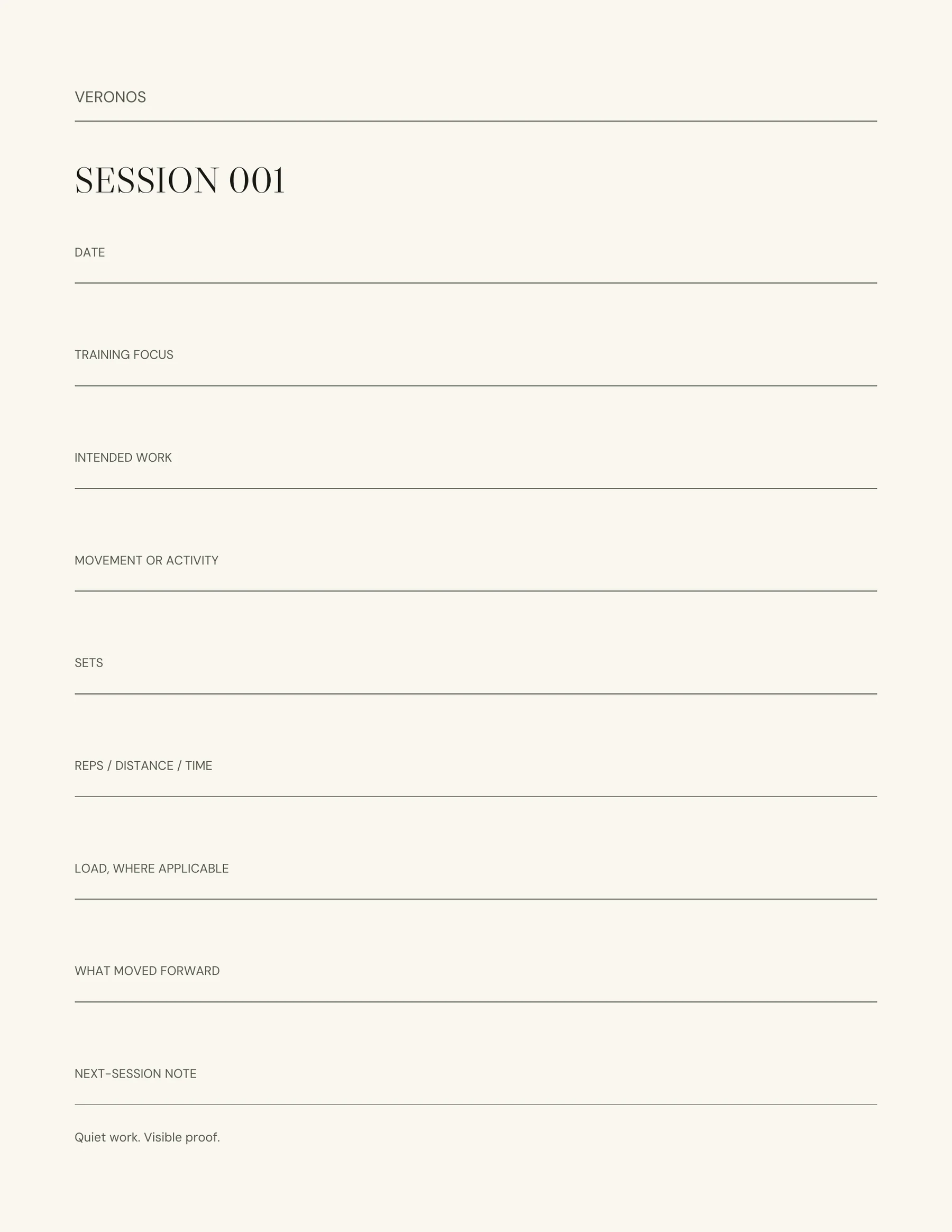
The Field Test session page places the number and date first, then gives the activity record most of the page. Its labels accommodate strength, running, or mixed work without turning the sheet into a program. The checkpoint page is separate, so the ordinary record stays focused on one session.
Before committing to a larger journal, print or annotate one of these blank pages. Check whether the writing space suits your handwriting or stylus, whether the measures you actually use fit naturally, and whether the page remains legible in your usual storage system.
A simple filing decision
Decide where completed pages go before the first entry: a clipboard during the session and a binder afterward, a fixed folder on a tablet, or one printed booklet. Consistent storage matters more than an elaborate naming scheme. If you annotate digitally, keep an untouched source PDF and save the working copy under a name you can recognize, such as the year plus the session range.
Avoid recording information you do not want left on paper or in an ordinary file. A training log can stay deliberately narrow: what was done, when it was done, and the note needed for the next review.
Scope
This guide explains page selection, printing, and record structure. It does not choose exercises, prescribe frequency or intensity, assess technique, or provide coaching or medical advice. The log records decisions made elsewhere.
Field Test
The free download contains both US Letter and A4 PDFs, ten numbered session pages, and one checkpoint, so you can test the page before choosing a longer record.